Smart Reorder: How Automated Replenishment Eliminates Stockouts and Overstock
Discover how data-driven reorder suggestions, lead time tracking, and MOQ management help SMBs maintain optimal inventory levels - eliminate stockouts and overstock with automated replenishment.

Smart Reorder: How Automated Replenishment Eliminates Stockouts and Overstock
There are two inventory problems that keep operations managers awake at night: running out of a product your customers need, and sitting on a mountain of products nobody is buying. Both are expensive. Both are avoidable. And in most cases, both stem from the same root cause -- replenishment decisions based on intuition rather than data.
Smart reorder systems solve this by calculating exactly when and how much to order, based on your actual consumption patterns, supplier lead times, and safety stock requirements. This article explains the mechanics behind intelligent replenishment and how to implement it in your business.
The Real Cost of "Eyeballing" Reorder Decisions
Most SMBs reorder products based on a simple heuristic: someone walks the warehouse, notices shelves are getting empty, and places an order. Or a spreadsheet with static minimum quantities triggers an alert, and someone manually creates a purchase order.
This approach has predictable failure modes:
- Reactive, not proactive: by the time you notice low stock, your customers may have already experienced a stockout.
- No supplier lead time awareness: ordering when stock is low without accounting for how long the supplier takes to deliver means you are already late.
- No MOQ consideration: minimum order quantities from suppliers can mean your "just enough" order gets rejected or rounded up, throwing off your budget.
- No cost visibility: without knowing the estimated cost of replenishment before you order, you cannot prioritize purchases or manage cash flow.
The Reorder Point: Your Early Warning System
The foundation of smart reorder is the reorder point -- the stock level at which a new order should be placed so that replenishment arrives before you run out.
Formula: Reorder Point = Average Daily Consumption x (Lead Time Days + Safety Stock Days)
Let us break this down:
- Average daily consumption: calculated from your actual outgoing stock movements over a configurable period (30, 60, or 90 days). This is not a guess -- it is computed from real sales and usage data.
- Lead time days: how long your supplier typically takes from order confirmation to delivery. The best systems track this automatically from your purchase order history.
- Safety stock days: an extra buffer you configure per product to account for demand variability or supplier delays.
Start with a safety stock of 5-7 days for most products. Increase it for products with highly variable demand (your XYZ-Z class items) or suppliers with inconsistent lead times.
Example
A product sells 10 units per day on average. Your supplier delivers in 14 days. You want 5 days of safety stock.
Reorder Point = 10 x (14 + 5) = 190 units
When your stock drops below 190 units, it is time to order. If you wait until stock reaches 50, you will run out before the delivery arrives.
Lead Time Tracking: The Data Most Businesses Ignore
Supplier lead time is the most critical input in the reorder formula, yet it is the one most businesses get wrong. They set a static number when they first configure their system, then never update it.
Reality is more nuanced. Lead times fluctuate based on:
- Supplier capacity and season
- Order size
- Shipping routes and logistics
- Your relationship and priority status with the supplier
The most effective approach is automatic lead time tracking: every time you receive a purchase order, the system compares the actual delivery date to the order confirmation date and updates the lead time using a weighted moving average. This means your reorder points automatically adjust as supplier performance changes -- no manual intervention required.
Formula: Updated Lead Time = (Previous Lead Time x 0.7) + (Actual Lead Time x 0.3)
The 70/30 weighting smooths out one-off anomalies while still adapting to genuine shifts in supplier behavior.
Minimum Order Quantities: A Constraint, Not an Afterthought
Many suppliers impose minimum order quantities (MOQ). A naive reorder system might suggest ordering 25 units when the supplier requires a minimum of 100. This creates a frustrating back-and-forth.
Smart reorder systems incorporate MOQ as a constraint in the suggestion:
Suggested Quantity = max(Reorder Point - Current Stock, MOQ)
This ensures every suggestion is actionable. If the calculated replenishment need is below the MOQ, the system suggests the MOQ. If it is above, the system suggests the exact quantity needed.
Urgency: Not All Reorders Are Equal
When you have 50 products that need reordering, where do you start? Urgency levels provide the answer by ranking each suggestion based on how many days of stock remain:
| Urgency | Days of Stock Remaining | Action |
|---|---|---|
| Critical | Less than 7 days | Order immediately |
| High | 7-14 days | Order this week |
| Medium | 14-30 days | Plan for next order cycle |
| Low | More than 30 days | Monitor, no rush |
This prioritization is especially valuable when cash flow is tight. You can focus spending on critical and high-urgency items first, deferring medium and low items to the next budget cycle.
The Supplier-Product Link
Not every supplier sells every product, and not every supplier offers the same terms for the same product. Smart reorder requires knowing:
- Which supplier provides which product (and which is the preferred one)
- The lead time for each supplier-product combination (Supplier A might deliver Product X in 7 days, while Supplier B takes 21)
- The last unit price (for cost estimation)
- The MOQ per supplier-product pair
These relationships should be maintained automatically as much as possible. When you receive a purchase order, the system should create or update the supplier-product record with the latest lead time and pricing.
Designate a preferred supplier for each product. The reorder engine will prioritize preferred suppliers when generating suggestions, but you can always override the choice when creating the actual purchase order.
From Suggestions to Purchase Orders
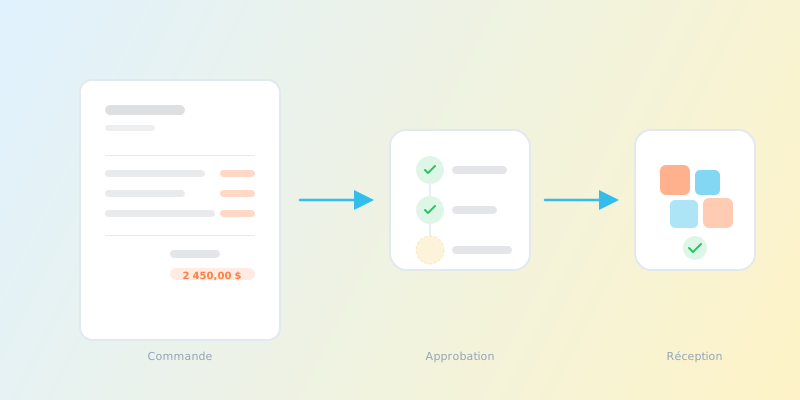
The ultimate goal of a reorder system is not a list of suggestions -- it is a purchase order ready to send. The most efficient workflow is:
- Review suggestions filtered by urgency level and branch.
- Create individual POs: click a single button to create a pre-filled purchase order for one product.
- Create bulk POs by supplier: group all suggestions from the same supplier into a single purchase order with one click. This reduces the number of POs, simplifies logistics, and often helps you meet supplier MOQs or qualify for volume discounts.
Demand Forecasting: Beyond the Simple Average
A common mistake in reorder systems is using a simple average to estimate future consumption. If a product sold 300 units last month but 100 of those were in the last week due to a seasonal spike, a simple 30-day average (10/day) underestimates the current run rate.
ISA uses Exponential Moving Average (EMA) instead, which gives more weight to recent weeks. This means the forecast reacts faster to genuine demand shifts while smoothing out random noise.
On top of the consumption estimate, two additional signals help you make better decisions:
Demand trend indicates whether consumption is increasing, decreasing, or stable. ISA compares the first half and second half of the analysis window -- if recent consumption is more than 10% higher than earlier consumption, the product shows an "Up" trend. More than 10% lower shows "Down". This lets you spot products gaining or losing traction before the raw numbers make it obvious.
Forecast confidence measures how regular the demand pattern is, expressed as a percentage. A product that sells 50 units every week has high confidence (90%+). A product that sells 200 one week and zero the next has low confidence (below 50%). This matters because unpredictable products need more safety stock.
ISA acts on this automatically: when confidence is high (≥ 80%), safety stock is reduced by 20% because the forecast is reliable. When confidence is low (< 50%), safety stock is increased by 40% to compensate for demand uncertainty. Products in the middle keep their configured safety stock unchanged.
Sort by confidence to identify your most unpredictable products. These are the ones that benefit most from higher safety stock settings -- or from investigating why their demand is so erratic (promotional effects, seasonal patterns, or customer ordering behavior).
Predictive Stockout Alerts
Reorder suggestions tell you what to order today. Predictive stockout alerts tell you what will go wrong tomorrow.
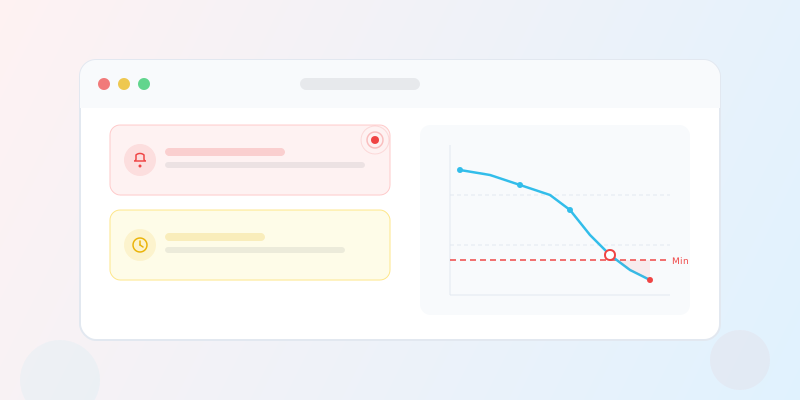
By projecting current consumption velocity forward and comparing it to current stock levels and expected deliveries, the system can predict stockouts before they happen. When a product is projected to run out before a delivery could realistically arrive (based on lead time), an alert is created.
These alerts appear alongside your regular stock alerts, with a distinct "Predicted Stockout" badge, the estimated days until stockout, and a direct link to the reorder suggestions for that product.
Getting Started With Smart Reorder
If you are transitioning from manual reorder management, here is a practical path:
- Start with your top 20% of products (by revenue or movement frequency). These are the ones where stockouts and overstock cost the most.
- Set safety stock days on each product. Start with 5-7 days and adjust based on experience.
- Configure supplier-product relations with lead times. Even rough estimates are better than nothing -- the system will refine them from actual deliveries.
- Review suggestions weekly, create POs for critical and high items, and gradually extend to medium items.
- Trust the auto-learning: as you receive more orders, lead times become more accurate, and suggestions improve automatically.
ISA's Smart Inventory module handles all of this: it forecasts demand with EMA, shows trend and confidence indicators, automatically adjusts safety stock based on demand predictability, calculates reorder points from your consumption data, tracks lead times from your purchase orders, respects supplier MOQs, and lets you create individual or bulk purchase orders directly from suggestions.
How ISA Helps
ISA's Smart Inventory module brings all of these capabilities together in a single interface:
- Automatic demand forecasting using Exponential Moving Average, with trend indicators and confidence scores to surface demand shifts before they cause problems.
- Dynamic reorder points calculated from your real consumption data and supplier lead times - no manual formulas to maintain.
- Lead time auto-learning that updates supplier delivery estimates from every received purchase order, so your reorder timing improves over time.
- MOQ-aware suggestions that respect each supplier's minimum order quantities, ensuring every recommendation is immediately actionable.
- Urgency-based prioritization that ranks replenishment needs by days of stock remaining, so you always know what to order first.
- One-click PO creation from individual suggestions or bulk grouping by supplier, turning analysis into action in seconds.
- Predictive stockout alerts that project current velocity forward and warn you before a stockout happens, not after.
Whether you manage 50 products or 5,000, ISA eliminates the spreadsheet gymnastics and gives your procurement team the data-driven foundation they need to keep shelves stocked and cash flow healthy.
Conclusion
Smart reorder is not about removing human judgment from procurement -- it is about giving that judgment better inputs. When you know exactly how fast each product sells, how long each supplier takes to deliver, and how much safety buffer you need, your reorder decisions stop being guesses and start being calculations. The result is less overstock, fewer stockouts, and a procurement process that works with your business instead of against it.