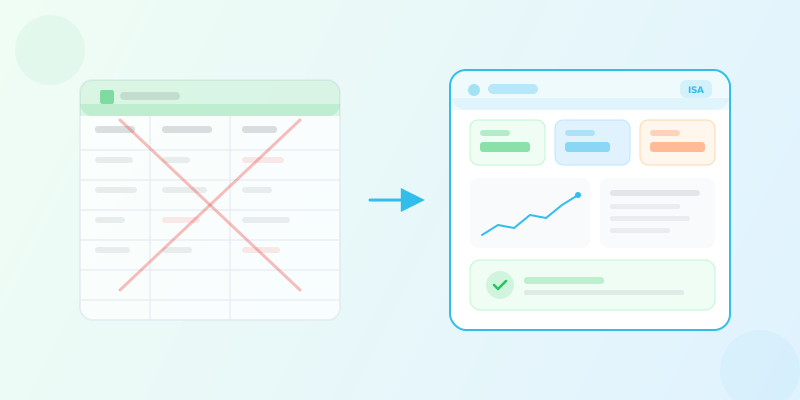
Inventory management for small businesses: getting started affordably
How to set up effective inventory management on a small business budget. Compare free vs paid tools, understand realistic costs, and learn practical steps to get started without overspending.
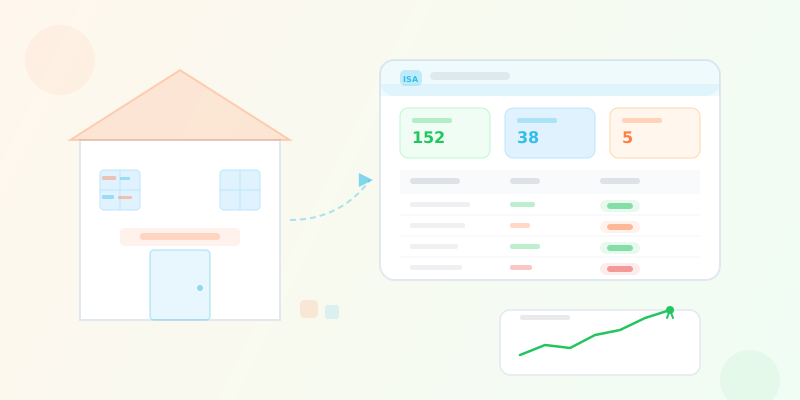
Inventory management for small businesses: getting started affordably
Starting a small business means making hard choices about where every dollar goes. Between rent, payroll, marketing, and a hundred other expenses, inventory management software rarely feels like the most urgent line item. So you improvise. You track stock in a spreadsheet, count products by hand, and reorder based on memory. It works -- until it does not. A missed reorder leads to a stockout during your busiest week. A data entry mistake inflates your stock count, and you only find out when a customer asks for a product that is not actually on the shelf.
The irony is that small businesses are the ones that can least afford the consequences of poor inventory management, yet they are also the ones most likely to defer investing in it. This article is for business owners who know they need a better system but are unsure how much it should cost, what they actually need, and where to start without overcommitting their budget.
Why inventory management matters more for small businesses
Large enterprises can absorb inventory mistakes. A write-off of a few thousand dollars in expired stock barely registers on the books of a company doing nine figures in revenue. For a small business operating on thin margins, those same losses can wipe out a month's profit.
Cash flow is king
For most SMBs, cash flow -- not profitability -- is the constraint that determines survival. Excess inventory is cash sitting on a shelf, unavailable for payroll, marketing, or growth initiatives. Understocking means missed sales and disappointed customers who may not return. Effective small business inventory management is fundamentally about keeping capital in motion rather than letting it stagnate in unsold goods.
You have no room for error
Large companies have dedicated teams for procurement, warehousing, and demand planning. In a small business, the owner or a single employee often handles purchasing, receiving, selling, and counting. When one person juggles all of these responsibilities, the margin for error is razor-thin. A systematic approach to tracking inventory is not a luxury -- it is a defense against the inevitable human mistakes that come with wearing too many hats.
Customer trust is fragile
Small businesses compete on relationships, not on scale. When your regular customer finds that their preferred product is out of stock for the second time in a month, they do not file a complaint. They simply go somewhere else. Maintaining accurate stock levels and fulfilling orders reliably is how you protect the customer trust that took years to build.
The real cost of not managing inventory
Before worrying about the cost of a solution, it helps to quantify what the absence of one is already costing you. Most small business owners underestimate these losses because they are spread across many small incidents rather than a single dramatic failure.
Stockouts and lost sales
Every stockout is a missed revenue opportunity. Research from IHL Group estimates that stockouts cost retailers worldwide over $1 trillion annually. For a small business, even a handful of stockouts per month can add up to thousands in lost sales over the course of a year.
Overstock and dead inventory
The flip side of stockouts is overstock. Without reliable data on what is selling and what is not, small businesses tend to over-order popular items "just in case" and under-monitor slow-moving products until they become obsolete. Carrying costs -- storage space, insurance, depreciation, and potential spoilage -- typically run 20% to 30% of inventory value per year.
Time spent on manual processes
Time is the most undervalued cost for small business owners. If you spend five hours a week updating spreadsheets, reconciling counts, and placing orders manually, that is 260 hours a year. At even a modest hourly value, this manual work represents a significant hidden expense -- time that could be spent on sales, customer relationships, or strategic planning.
Accounting and tax headaches
Inaccurate inventory records create downstream problems at tax time. If your reported inventory value does not match reality, your cost of goods sold is wrong, your gross margin is wrong, and your tax liability may be incorrect. Cleaning up these discrepancies with an accountant is expensive and stressful.
Before evaluating any inventory tool, estimate what poor inventory management currently costs your business. Add up lost sales from stockouts, the value of dead or expired stock written off in the past year, and the hours you and your team spend on manual tracking. This number is your baseline -- any solution that costs less than this amount and reduces these losses is a net positive investment.
What small businesses actually need (and what they do not)
Enterprise inventory software is packed with features designed for organizations with multiple warehouses, hundreds of employees, and complex manufacturing workflows. Most small businesses do not need any of that. Paying for features you will never use is as wasteful as not having software at all.
Essential capabilities for SMBs
These are the features that deliver immediate value for a small business with a few dozen to a few thousand products:
- Product catalog with SKUs. A centralized list of every product you sell, with unique identifiers, descriptions, categories, and pricing. This is the foundation everything else builds on.
- Real-time stock tracking. The ability to see exactly how many units of each product you have, updated automatically as you buy, sell, and move stock.
- Stock movement history. A complete record of every incoming and outgoing movement -- purchases, sales, returns, adjustments -- with timestamps and the user who recorded it.
- Low stock alerts. Automatic notifications when a product drops below a threshold you define, so you can reorder before you run out.
- Basic reporting. Visibility into your top sellers, slow movers, stock valuation, and movement trends.
- Multi-user access. The ability for more than one person to use the system, with appropriate permissions so employees cannot accidentally (or intentionally) modify data they should not touch.
Nice to have but not day-one priorities
These features become important as you grow, but they should not drive your initial purchase decision:
- Multi-location management. Critical if you have more than one branch or warehouse, but unnecessary for a single-location business.
- Barcode scanning. Speeds up receiving and counting significantly but requires hardware investment and is not essential when you are handling dozens of products rather than thousands.
- Purchase order management. Valuable for formalizing your procurement process, especially as you work with more suppliers.
- Serial and lot tracking. Necessary for regulated industries or perishable goods, but overkill for a general retail or wholesale operation.
- Third-party integrations. Connecting your inventory system to accounting software, e-commerce platforms, or point-of-sale systems saves time but adds complexity.
Features you can safely ignore early on
- Demand forecasting with AI/ML
- Warehouse management with bin-level tracking
- Manufacturing and bill of materials
- EDI (electronic data interchange) with large retail chains
- Multi-currency and multi-country compliance
The key insight is this: start with the features that address your current pain points and choose a tool that can grow with you. Paying for enterprise capabilities on day one is a mistake, but so is choosing a tool that cannot scale when you need it to.
Free vs. paid inventory tools: an honest comparison
The question every budget-conscious business owner asks is: "Can I get away with a free tool?" The answer is nuanced. Free tools can work, but they come with trade-offs that are important to understand before you commit.
Spreadsheets (Google Sheets, Excel)
Spreadsheets are the most common starting point, and for good reason: they are flexible, familiar, and free.
What works:
- Zero cost
- Complete flexibility in how you structure data
- No learning curve for basic usage
- Easy sharing via Google Sheets
What breaks:
- No real-time stock tracking (quantities do not update automatically)
- No multi-user concurrency control (two people editing the same cell creates conflicts)
- No alerts or automation
- Error-prone (one wrong formula or deleted row can corrupt your data)
- No audit trail (who changed what and when?)
- Does not scale beyond a few hundred products without becoming unwieldy
Spreadsheets are acceptable when you have fewer than 50 products, a single location, and one person managing stock. Beyond that, they become a liability.
Free tiers of inventory software
Several inventory management platforms offer free plans with limited functionality. These are a step up from spreadsheets but come with their own constraints.
What works:
- Real inventory management features (product catalog, movement tracking)
- Typically cloud-based with multi-user support
- Structured data that does not break when someone accidentally deletes a row
What breaks:
- Strict limits on products, users, or locations (often 50-100 products, 1 user)
- Missing features you will need soon (alerts, reporting, integrations)
- Limited or no customer support
- Data export restrictions on some platforms
- Advertisements or upselling within the interface
Open-source inventory software
Open-source tools provide full functionality without license fees, but they require technical skill to deploy and maintain.
What works:
- No license cost
- Full feature set in many cases
- Complete data ownership
What breaks:
- Requires a server to host (cloud hosting costs $5-50/month)
- Installation, configuration, and updates are your responsibility
- No customer support unless you pay for a commercial distribution
- Security patches and bug fixes depend on the community or your own skills
- Integration with other tools often requires custom development
Paid SaaS inventory software
Cloud-based subscription software charges a monthly or annual fee in exchange for a fully managed, supported, and regularly updated platform.
What works:
- Purpose-built for inventory management
- Automatic updates and security patches
- Customer support included
- Scales with your business (upgrade plan as needed)
- Integrations with accounting, e-commerce, and POS systems
- Data backups handled for you
What breaks:
- Monthly cost (typically $20-200/month for SMB plans)
- Your data lives on someone else's servers
- You depend on the vendor's uptime and continued operation
- Feature changes or price increases are outside your control
Comparison table: free vs. paid inventory tools
| Criteria | Spreadsheet | Free software tier | Open source | Paid SaaS |
|---|---|---|---|---|
| Upfront cost | Free | Free | Free | None (subscription) |
| Monthly cost | $0 | $0 | $5-50 (hosting) | $20-200 |
| Real-time tracking | No | Yes (limited) | Yes | Yes |
| Alerts | No | Sometimes | Yes | Yes |
| Multi-user | Fragile | 1-2 users | Unlimited | Plan-dependent |
| Product limit | Practical ~500 | 50-200 typical | Unlimited | Plan-dependent |
| Support | None | Limited/none | Community only | Included |
| Setup effort | Minutes | Minutes | Hours to days | Minutes |
| Maintenance | You | Vendor | You | Vendor |
| Scalability | Poor | Limited | Good (if managed) | Good |
If your business has fewer than 50 products and a single person managing inventory, a well-structured spreadsheet may genuinely be sufficient for now. But create a clear trigger for when to switch: "When we hit 100 products, or when two people need to update stock, or when we miss our second stockout -- that is when we move to real software." Having a defined threshold prevents the gradual slide into a system that is no longer working but feels too entrenched to replace.
What does affordable inventory software actually cost?
Understanding the true cost of inventory management software requires looking beyond the sticker price. Here is a realistic breakdown of what SMBs can expect.
Typical pricing models
Per-user pricing. Some platforms charge per user per month, typically $10-50 per user. This works well for very small teams but becomes expensive as you add staff.
Tiered plans. The most common model for SMB-focused platforms. You choose a plan based on the number of products, locations, or features you need. Entry-level plans typically start at $20-50/month and scale up as your needs grow.
Usage-based pricing. Less common for inventory software, this model charges based on the number of transactions or API calls. It can be unpredictable and is generally less suitable for budgeting.
Flat-rate pricing. A single price for all features, sometimes with limits on users or products. Simple and predictable but rare for fully-featured platforms.
Hidden costs to watch for
- Implementation and data migration. Some vendors charge setup fees of $200-2,000 for onboarding, data import, and initial configuration. Verify whether onboarding is included in the subscription.
- Training. If the tool is complex enough to require formal training, factor in the cost of downtime during the learning period.
- Hardware. Barcode scanners ($50-300), label printers ($100-400), and mobile devices add up. These are not strictly required on day one, but budget for them if barcode scanning is on your roadmap.
- Integration costs. Connecting your inventory system to your accounting software or e-commerce platform may require a paid integration plan or a middleware tool.
- Scaling costs. Understand how pricing changes as you grow. If moving from 500 to 5,000 products triples your monthly fee, plan for that trajectory.
Realistic monthly budget by business size
| Business profile | Typical monthly spend | What to expect |
|---|---|---|
| Solo operator, <100 products | $0-30/month | Free tier or entry-level plan; basic tracking and alerts |
| Small team (2-5 people), 100-1,000 products | $30-80/month | Mid-tier plan with multi-user, alerts, reporting |
| Growing business (5-15 people), 1,000-10,000 products | $80-200/month | Full-featured plan with integrations, multiple locations |
| Established SMB (15+ people), 10,000+ products | $200-500/month | Advanced features, priority support, API access |
These ranges reflect standalone inventory management tools. If you need a full ERP system that includes accounting, CRM, and HR, costs will be significantly higher, but most small businesses do not need an ERP.
How to evaluate inventory software without wasting time
The market for inventory management software is crowded. Without a structured evaluation process, you can spend weeks trying free trials and still not make a confident decision.
Step 1: Define your requirements before you look
Write down your top five pain points with your current approach. These become your non-negotiable requirements. Everything else is a "nice to have." Common SMB priorities include:
- I need to know my stock levels in real time, not after a manual count
- I need alerts when products are running low
- I need more than one person to access and update inventory
- I need a complete history of every stock movement
- I need something my team can learn in a day, not a month
Step 2: Shortlist three tools, not ten
Evaluating more than three tools creates decision fatigue and slows down your process. Choose one free option, one mid-range option, and one that represents the upper end of your budget. Test each against your five requirements.
Step 3: Test with your real data
Do not evaluate software with sample data. Import your actual product list (or a representative subset) and perform the tasks you do daily: receive a shipment, record a sale, check stock levels, generate a report. This reveals usability issues that demo environments and feature checklists cannot.
Step 4: Involve the people who will use it
The person selecting the software is often not the person who will use it daily. Include your warehouse staff, sales team, or whoever interacts with inventory in the evaluation. Their input on usability is more valuable than any feature comparison spreadsheet.
Step 5: Ask about the exit
Before committing, verify that you can export your data in a standard format (CSV, Excel) at any time. Vendor lock-in is a real risk, especially with platforms that store your data in proprietary formats. If you cannot get your data out, you should not put it in.
During your trial period, time how long it takes to complete your five most common inventory tasks in each tool. The software that lets your team complete these tasks fastest -- not the one with the longest feature list -- is usually the right choice.
Getting started: a practical roadmap for SMBs
Transitioning from no system (or a spreadsheet) to inventory management software does not need to be a large project. Here is a step-by-step approach that minimizes disruption and risk.
Week 1: Audit what you have
Before you can manage your inventory digitally, you need an accurate baseline.
- Conduct a physical count. Count every product in every location. Yes, all of them. This is tedious but essential. Your new system is only as accurate as the data you put into it.
- Clean up your product list. Remove discontinued items, merge duplicates, and standardize naming. If the same product is listed as "Blue T-shirt Size M," "Tshirt Blue Med," and "BLU-TSH-M" in your spreadsheet, now is the time to fix that.
- Establish SKU conventions. Define a consistent format for product codes. A good SKU is short, descriptive, and scalable. Decide on the convention now so you do not have to rename everything later.
Week 2: Set up your system
- Import your product catalog. Most inventory tools support CSV import. Use your cleaned-up product list from week one.
- Set initial stock quantities. Enter the quantities from your physical count.
- Configure basic settings. Set up your business location(s), create user accounts, and assign appropriate permissions.
- Define low stock thresholds. For your top-selling products, set minimum stock alerts based on your average sales velocity and supplier lead times.
Week 3: Operate in parallel
- Run your old and new systems side by side. For at least a week, record transactions in both your existing process (spreadsheet, paper) and the new software. This catches import errors and gives your team time to build confidence.
- Train your team. Walk every user through the daily tasks they will perform: recording sales, receiving shipments, checking stock levels, acknowledging alerts.
- Identify issues. Note anything that does not work as expected -- missing products, incorrect quantities, confusing workflows -- and fix them before going live.
Week 4: Go live and iterate
- Cut over to the new system. Stop dual-entry and commit to the new tool as your single source of truth.
- Monitor closely for the first two weeks. Check that stock levels stay accurate, alerts fire when expected, and reports match reality.
- Schedule a review at 30 days. After a month of use, gather feedback from your team, review your alert thresholds, and adjust your setup based on real usage patterns.
How ISA fits the small business budget
ISA was built for the exact scenario described in this article: a small or medium-sized business that needs professional inventory management without the price tag and complexity of enterprise systems.
Start with what you need
ISA's tiered plans are designed to grow with your business. You start with the features that address your immediate pain points -- product cataloging, real-time stock tracking, movement history, and low stock alerts -- without paying for capabilities you do not need yet. As your business grows, you can add locations, users, and advanced features like serial/lot tracking, purchase order management, and approval workflows.
No implementation fees
Getting started with ISA takes minutes, not weeks. Import your product catalog via CSV, set your initial stock quantities, invite your team, and you are operational. There is no implementation project, no consultant fees, and no multi-day training program. The interface is designed to be learnable in a single session.
Transparent, predictable pricing
ISA uses straightforward tiered pricing with no hidden fees. You know exactly what you are paying each month and what you get for it. If you need a specific capability beyond your current plan, add-ons let you pick up individual features -- like barcode scanning, API access, or third-party integrations -- without upgrading to a higher tier.
The features that matter for small businesses
Everything discussed in this article as "essential for SMBs" is available in ISA:
- Product catalog with categories and SKUs. Organize your products logically with nested categories. ISA can generate unique SKUs automatically if you prefer.
- Real-time stock tracking across branches. Stock quantities update instantly as movements are recorded. If you have multiple locations, each branch maintains its own stock levels with inter-branch transfer tracking.
- Complete movement history with audit trails. Every purchase, sale, transfer, adjustment, and return is recorded with the date, quantity, user, and associated details. You always know what happened and who was responsible.
- Configurable low stock alerts. Set minimum thresholds per product or per branch. ISA notifies you when stock drops below the threshold so you can reorder before you run out.
- Role-based access control. Create roles with specific permissions so employees see and do only what they need to. A sales associate can record sales but cannot adjust stock or modify products.
- Reporting and dashboards. Visualize your inventory health with real-time dashboards showing stock valuation, top sellers, movement trends, and alert status.
Scale when you are ready
As your business grows, ISA grows with you -- without requiring a migration to a different platform. Additional capabilities are available when you need them:
- Barcode scanning for faster receiving and stock counts
- Purchase order management to formalize procurement with your suppliers
- Serial and lot tracking for traceability and expiry management
- Approval workflows for purchase orders that need managerial sign-off
- Third-party integrations with QuickBooks, Xero, and Shopify
- Public REST API for custom integrations and automation
- Outbound webhooks to trigger actions in external systems when inventory events occur
The point is not that you need all of these features today. The point is that when you do need them, you will not have to rip out your current system and start over.
Common objections (and honest answers)
"We are too small for inventory software"
If you sell physical products, you manage inventory -- whether you call it that or not. The question is not whether you are "big enough" for software but whether you are spending more time and money on manual tracking than a tool would cost. For many businesses, that crossover point arrives sooner than expected.
"Spreadsheets work fine for us"
They might. But "fine" is not a stable state. Spreadsheets degrade gradually: a formula breaks, a row gets deleted, a version conflict overwrites a correction. By the time you realize the spreadsheet is no longer reliable, you may have already made purchasing decisions based on bad data.
"We cannot afford it right now"
This is the most understandable objection, and sometimes it is genuinely true. If your business cannot absorb $30-50/month for a tool, that is a legitimate constraint. But consider the alternative costs: the hours spent on manual tracking, the write-offs from expired or unsold stock, the lost sales from stockouts. For most businesses doing more than $100,000 in annual revenue, affordable inventory software pays for itself within the first quarter.
"We will outgrow it"
This is a valid concern with tools that are not designed to scale. When evaluating any inventory platform, check its upgrade path. Can you add users, products, and locations without migrating? Does the vendor offer advanced features for growing businesses? ISA is specifically built with this trajectory in mind: start small, scale incrementally.
"Our industry is different"
Every business has unique aspects, but the core problem -- knowing what you have, where it is, and when to reorder -- is universal. The specifics vary (a bakery needs expiry tracking; an electronics retailer needs serial numbers; a clothing shop needs size/color variants), but the underlying system requirements are remarkably consistent across industries.
Mistakes to avoid when getting started
Trying to automate everything on day one
The temptation to configure every alert, set up every integration, and enable every feature from the start is strong. Resist it. Start with the basics -- products, stock levels, movements, alerts -- and add complexity only when you have a specific need. Premature configuration creates maintenance burden and confusion.
Ignoring data quality
Your inventory system is only as good as the data in it. If you import a messy product list with duplicates, inconsistent names, and incorrect quantities, you will spend more time fixing data than managing inventory. Invest the time upfront to clean your data before importing.
Not assigning clear ownership
Someone on your team needs to be responsible for the accuracy of the inventory system. Without clear ownership, updates get deferred, alerts go unacknowledged, and the system gradually falls out of sync with reality. This does not need to be a full-time role -- it just needs to be someone's explicit responsibility.
Choosing based on features instead of usability
A tool with 200 features that your team refuses to use is worth less than a tool with 20 features that they use consistently. Prioritize ease of use, especially if your team is not particularly tech-savvy. The best inventory system is the one that actually gets used every day.
After your first month on any new inventory system, check your adoption metrics. Is every team member logging in and recording transactions? Are alerts being acknowledged within 24 hours? If not, the problem is almost certainly usability or training, not features. Address the adoption issue before adding more complexity.
Conclusion
Small business inventory management does not need to be expensive, complex, or overwhelming. The gap between "no system at all" and "effective inventory control" is smaller than most business owners assume, both in cost and in effort. The key is to start with a clear understanding of what you actually need, choose a tool that matches your current scale while allowing for growth, and commit to building consistent habits around inventory tracking.
Free tools have their place, and for the smallest operations they may genuinely be sufficient. But for any business that is growing -- adding products, hiring staff, opening locations -- the transition to purpose-built inventory software is not a question of if but when. When that time comes, the right solution is one that respects your budget, matches your current complexity, and does not force you to start over when your needs evolve.
ISA is designed for exactly this journey. Whether you are moving from a spreadsheet to your first real inventory system or upgrading from a tool you have outgrown, ISA provides the capabilities that matter for small businesses at a price that makes sense for small business budgets. The goal is not to sell you software you do not need. The goal is to give you the visibility and control to run your business with confidence -- and to be ready when you need more.