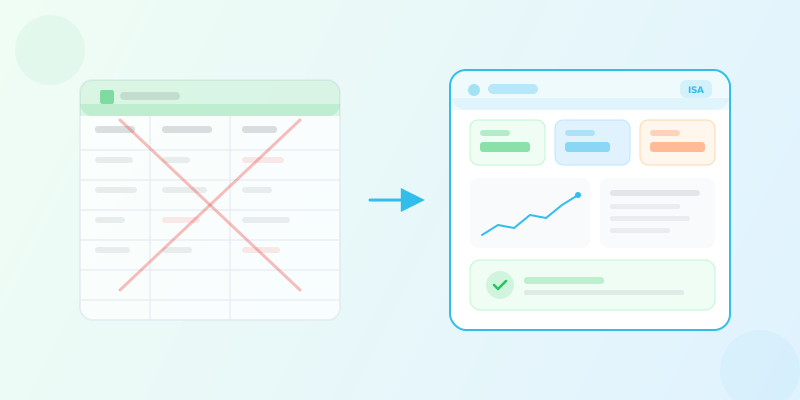
Inventory management software: the complete guide to choosing right
How to choose the right inventory management software for your SMB? Compare spreadsheets vs ERP vs SaaS, evaluate key criteria, and find the perfect fit for your business.
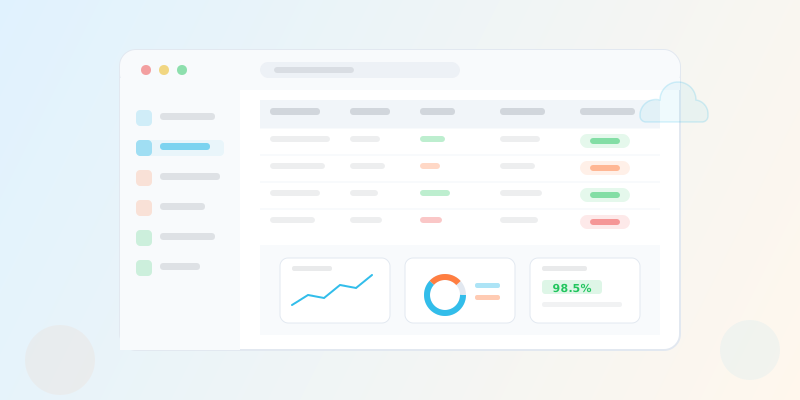
Inventory Management Software: The Complete Guide to Choosing Right
Every growing business reaches a point where the way it tracks inventory stops working. Maybe it is the spreadsheet that takes ten minutes to load because it has 14,000 rows and a nest of VLOOKUP formulas that nobody dares touch. Maybe it is the warehouse manager who keeps the "real" stock counts in a notebook because the official system is always out of date. Or maybe it is the moment you realize you shipped the last unit of your best-selling product and nobody noticed the stock had been declining for weeks.
Inventory management software exists to solve these problems. But the market is crowded, the terminology is inconsistent, and the stakes are high. Choose a tool that is too simple, and you will outgrow it within a year. Choose one that is too complex, and your team will resist using it, which is the same as having no system at all.
This guide is designed for small and medium-sized businesses that are ready to move beyond spreadsheets but do not want to spend six months implementing an enterprise resource planning system they will only use at 20% capacity. We will compare the three main categories of inventory management software, walk through the criteria that actually matter when making a decision, and explain where modern SaaS solutions fit in the landscape.
Why Inventory Management Software Matters for SMBs
Before comparing tools, it is worth understanding what is actually at stake. Inventory is not just a line on the balance sheet. It is a living, moving system that touches purchasing, sales, warehousing, accounting, and customer satisfaction simultaneously.
The Real Cost of Poor Inventory Tracking
Poor inventory tracking creates costs that are easy to underestimate because they are distributed across the business rather than concentrated in a single budget line.
Stockouts are the most visible problem. When a customer places an order and the product is unavailable, the immediate revenue loss is only part of the damage. Depending on your industry, 20% to 40% of customers who encounter a stockout will buy from a competitor instead, and a meaningful share of those will not come back. For an SMB, losing a loyal customer to a preventable stockout is a compounding loss that gets worse over time.
Overstock is the mirror image. Excess inventory ties up working capital that could be used for marketing, hiring, or equipment. It also incurs carrying costs: warehousing space, insurance, handling, and the risk of obsolescence or spoilage. For products with a shelf life, overstock can turn directly into waste.
Administrative overhead is the hidden tax. When your stock data is unreliable, every department compensates in its own way. Salespeople call the warehouse before confirming orders. Purchasers add safety margins to every order because they do not trust the numbers. Accounting spends extra time reconciling inventory valuations at the end of each period. None of this work adds value. It exists only because the underlying data is not trustworthy.
When Spreadsheets Stop Working
Spreadsheets are where most small businesses start, and for the earliest stages they are adequate. A single-location business with fewer than 100 SKUs and one or two people managing stock can function with a well-organized spreadsheet. The problems emerge as the business grows.
The first sign is usually data entry errors. When multiple people update the same spreadsheet, conflicting edits, typos, and accidental deletions become routine. Version control is nearly impossible. Someone saves a local copy, makes changes offline, and now there are two divergent versions of the truth.
The second sign is latency. A spreadsheet is only as current as the last time someone updated it. If your warehouse receives a shipment at 9 AM and the spreadsheet does not get updated until 2 PM, everyone who checks stock levels between those hours is making decisions based on stale data.
The third sign is the absence of workflow. A spreadsheet can store numbers, but it cannot enforce a process. It cannot prevent someone from shipping an order when stock is insufficient. It cannot trigger a purchase order when inventory drops below a threshold. It cannot route an approval request to a manager. Every process that should be automated instead depends on someone remembering to do it.
If you are currently using spreadsheets and are unsure whether you have outgrown them, ask yourself three questions. First, has anyone made a decision based on stock data that turned out to be wrong in the last month? Second, do you spend more than two hours per week maintaining the spreadsheet itself rather than acting on the data? Third, do you have more than one person entering data into the same file? If the answer to any of these is yes, you have already passed the threshold where dedicated inventory management software will pay for itself.
The Three Main Approaches: Spreadsheets vs ERP vs SaaS
Businesses that decide to move beyond spreadsheets generally face a choice between two categories of dedicated software: enterprise resource planning (ERP) systems and cloud-based SaaS inventory tools. Each has a distinct profile in terms of cost, complexity, implementation time, and suitability for different business sizes.
Spreadsheets: The Starting Point
Spreadsheets like Microsoft Excel and Google Sheets remain the most common inventory tracking tool for very small businesses, and not without reason. They are inexpensive, familiar, and flexible. You can model almost any data structure with enough formulas.
Strengths:
- Low upfront cost (most businesses already have access)
- Complete flexibility in structure and layout
- No learning curve for basic use
- Good enough for very small operations (under 100 SKUs, single location)
Weaknesses:
- No real-time synchronization across users
- No built-in audit trail or access controls
- No automated workflows (alerts, reorder triggers, approvals)
- Error-prone at scale due to manual data entry
- No integration with barcode scanners, POS systems, or accounting tools
- Performance degrades significantly with large datasets
- No multi-location support without increasingly fragile formulas
The fundamental limitation of spreadsheets is that they are a general-purpose tool being forced into a specialized role. They store data, but they do not understand inventory. They have no concept of a stock movement, a purchase order, a lot number, or a reorder point. Every piece of logic that an inventory management system provides out of the box must be manually built and maintained in a spreadsheet.
ERP Systems: The Enterprise Approach
ERP systems like SAP, Oracle NetSuite, Microsoft Dynamics 365, and Sage X3 are comprehensive platforms that integrate inventory management with accounting, human resources, manufacturing, customer relationship management, and more. They are designed for large organizations with complex operations spanning multiple countries, currencies, and regulatory environments.
Strengths:
- Deeply integrated across all business functions
- Highly configurable to match complex workflows
- Strong compliance and reporting capabilities
- Suitable for manufacturing, multi-entity, and global operations
- Mature ecosystems with extensive partner networks
Weaknesses:
- High total cost of ownership (licensing, implementation, customization, maintenance)
- Implementation timelines measured in months or years
- Requires dedicated IT staff or external consultants
- Steep learning curve for end users
- Over-engineered for most SMBs
- Customization often locks you into a specific vendor and version
- Upgrades can be disruptive and expensive
For a business with 10 to 200 employees, an ERP system is almost always overkill. The implementation cost alone can range from $50,000 to $500,000 depending on the modules selected and the degree of customization. Monthly licensing fees typically start at $100 to $300 per user and scale upward. More importantly, the complexity of the system often exceeds the complexity of the business it is supposed to serve, which means you are paying for capabilities you will never use while struggling to configure the ones you need.
If a vendor requires a "scoping phase" that lasts more than two weeks before they can give you a price, the system is probably more complex than your business requires. For most SMBs, the right inventory management software should be deployable in days, not months.
SaaS Inventory Management: The Middle Ground
Cloud-based SaaS inventory management software occupies the space between spreadsheets and ERPs. These tools are purpose-built for inventory and stock management, delivered through a web browser, and priced on a subscription model. Examples include tools like ISA, Cin7, inFlow, Sortly, and Zoho Inventory.
Strengths:
- Purpose-built for inventory management rather than bolted onto a broader platform
- Subscription pricing with predictable monthly costs
- No infrastructure to manage (hosting, backups, updates handled by the provider)
- Fast deployment (days to weeks, not months)
- Accessible from any device with a browser
- Regular updates and new features without disruptive upgrades
- Built-in multi-user support with role-based permissions
- Integrations with accounting, e-commerce, and other common tools
Weaknesses:
- May lack the deep customization of an ERP for very specialized workflows
- Dependent on internet connectivity
- Data is hosted by a third party (though this is increasingly a non-issue with modern security standards)
- Feature set varies widely between providers
The key advantage of SaaS inventory tools for SMBs is that they are designed for the scale and complexity that SMBs actually have. They provide the automation, visibility, and control that spreadsheets lack, without the cost and complexity that ERPs impose. They are the category that has grown most rapidly over the past decade precisely because they address an underserved segment: businesses that are too large for spreadsheets but too small for SAP.
Side-by-Side Comparison
| Criteria | Spreadsheets | ERP Systems | SaaS Inventory Software |
|---|---|---|---|
| Upfront cost | Near zero | $50,000 - $500,000+ | $0 - $500 (setup) |
| Monthly cost | $0 - $20/user | $100 - $300+/user | $20 - $150/user |
| Implementation time | Immediate | 3 - 18 months | 1 - 14 days |
| Multi-user collaboration | Poor (conflicts, no audit trail) | Excellent | Good to Excellent |
| Multi-location support | Manual and fragile | Excellent | Good to Excellent |
| Barcode scanning | Not supported | Supported | Usually supported |
| Purchase order management | Manual | Fully integrated | Supported |
| Automated alerts | Not available | Configurable | Built-in |
| Reporting and analytics | Manual charts | Advanced | Moderate to Advanced |
| Traceability (serial/lot) | Extremely difficult | Supported | Varies by provider |
| Learning curve | Low (familiar tool) | High (weeks of training) | Low to Moderate |
| Scalability | Breaks at scale | Enterprise-grade | Scales with subscription tier |
| Maintenance burden | High (manual upkeep) | High (IT team needed) | None (provider-managed) |
| Best suited for | Micro businesses, <100 SKUs | Large enterprises, 500+ employees | SMBs, 5 - 500 employees |
Key Criteria for Evaluating Inventory Management Software
Once you have decided that a SaaS inventory tool is the right category, the next challenge is choosing between the dozens of options available. Not all stock management software is created equal, and the features that matter most depend on your specific business. That said, there are several criteria that are universally important.
Multi-Location and Branch Management
If your business operates from more than one location, whether that is multiple warehouses, retail stores, or a combination, your inventory management software must support multi-location stock tracking as a first-class feature, not an afterthought.
This means you need separate stock counts per location, the ability to process transfers between locations, and consolidated reporting that gives you a company-wide view while still allowing you to drill down to individual branches. Some tools charge extra for multi-location support or limit the number of locations on lower-tier plans, so verify this before committing.
User Roles and Permissions
As your team grows, you need granular control over who can do what. A warehouse operator should be able to record stock movements but not modify product prices. A branch manager should see their own branch data but not other branches. A finance team member might need read-only access to inventory valuations without the ability to adjust stock.
Look for software that offers role-based access control with customizable permissions rather than a fixed set of predefined roles. The ability to define your own roles with specific permission sets is a strong indicator of a mature platform.
Purchase Order Workflow
The cycle from identifying a stock need to placing an order, receiving goods, and updating inventory should be as seamless as possible. At a minimum, your inventory software for SMBs should support:
- Creation and management of purchase orders linked to suppliers
- Partial and full receiving against purchase orders
- Automatic stock updates upon receiving
- Purchase order approval workflows (especially important as your team grows)
Approval workflows deserve particular attention. When a junior buyer creates a purchase order for $15,000, there should be a mechanism for a manager to review and approve it before it goes to the supplier. Software that supports multi-step, configurable approval workflows will save you from building this process manually through email chains.
Product Traceability
If you sell products that require traceability, whether for regulatory compliance, quality control, or customer service, your software must support serial number and lot number tracking.
Serial number tracking assigns a unique identifier to each individual unit. This is essential for electronics, equipment, and high-value goods where you need to know the history of a specific item.
Lot number tracking groups units that were produced or received together. This is standard for food, pharmaceuticals, cosmetics, and any product with an expiry date. When a quality issue arises, lot tracking lets you identify and isolate all affected units quickly.
Not all inventory management software supports traceability, and among those that do, the depth of implementation varies significantly. Some tools only store serial or lot numbers as text fields. Others provide full lifecycle tracking with status management (available, quarantined, recalled, consumed) and expiry-based alerts. The difference matters when you need to perform a recall or prove compliance to an auditor.
Alerts and Notifications
Proactive alerting is one of the strongest arguments for switching from spreadsheets to dedicated software. The system should monitor your inventory continuously and notify you when action is needed, rather than requiring you to check manually.
Key alert types to look for:
- Low stock alerts triggered when a product's quantity drops below a defined threshold
- Expiry alerts for products approaching their use-by date
- Reorder point notifications suggesting when to place a new purchase order
- Movement anomaly alerts flagging unusual patterns (e.g., a sudden spike in outgoing movements)
The best systems let you configure alert thresholds per product and per location, because a "low stock" level for a fast-moving product in your main warehouse is very different from the same product in a secondary location.
Reporting and Analytics
Your inventory data is only valuable if you can extract actionable insights from it. Evaluate the reporting capabilities of any software you consider:
- Stock valuation reports showing the financial value of your inventory using standard costing methods
- Movement history with filtering by date range, product, location, and movement type
- Turnover analysis identifying slow-moving and fast-moving products
- Supplier performance metrics tracking delivery times and order accuracy
- Custom date range filtering and export capabilities (CSV, PDF)
A dashboard that surfaces key metrics at a glance, such as total stock value, recent movements, low-stock items, and pending purchase orders, saves significant time compared to generating reports manually.
Integration Capabilities
No inventory tool operates in isolation. It needs to exchange data with your accounting software, your e-commerce platform, your point-of-sale system, and potentially your shipping and logistics tools.
Evaluate both the breadth and depth of available integrations. A connection to QuickBooks that only syncs invoices is less valuable than one that syncs products, customers, suppliers, and stock levels bidirectionally. Similarly, a Shopify integration that pulls orders but does not push stock updates back will leave you managing availability manually.
Also consider whether the software provides a REST API for custom integrations. Even if you do not need it today, having API access ensures you can connect the tool to other systems as your technology stack evolves.
Data Import and Export
Migration from your current system, whether it is a spreadsheet, another tool, or a manual process, should be straightforward. Look for CSV import capabilities with field mapping, validation, and error reporting. The ability to import products, categories, suppliers, customers, and opening stock balances in bulk will save you from weeks of manual data entry during the transition.
Export is equally important. You should be able to extract your data at any time in standard formats. This is both a practical need (for custom reporting or sharing data with external parties) and a safeguard against vendor lock-in.
Before committing to any stock management software, test the import process with a sample of your real data. Export 50 to 100 products from your current system and attempt to import them into the new tool. This exercise will reveal data format issues, required field mappings, and workflow gaps that are impossible to discover from a feature list alone.
Mobile and Barcode Support
Warehouse operations happen on the floor, not at a desk. If your team needs to scan barcodes during receiving, picking, or cycle counting, the software must support barcode scanning through a mobile device or a dedicated scanner.
Web-based SaaS tools that work in a mobile browser have an advantage here: they do not require you to purchase and maintain a fleet of dedicated hardware devices. A smartphone or tablet with a camera can serve as a barcode scanner when the software supports it.
Pricing Transparency and Scalability
SaaS inventory tools typically use tiered subscription pricing based on the number of users, locations, products, or a combination. When evaluating pricing, look beyond the headline number:
- What happens when you exceed the limits of your current tier?
- Are there per-transaction fees that could add up at scale?
- Is there a free trial or a free tier for initial testing?
- Are essential features gated behind higher-priced plans, or available at every level?
- Can you add capacity incrementally (e.g., one additional user or one additional branch) without jumping to the next plan?
The most SMB-friendly pricing models offer a reasonable base plan with the ability to add specific capabilities through affordable add-ons rather than forcing a full tier upgrade for a single feature.
Common Mistakes When Choosing Inventory Software
Knowing what to look for is only half the equation. Understanding what to avoid can save you from an expensive mistake.
Choosing Based on Feature Count Alone
A software product with 200 features is not inherently better than one with 50. What matters is whether the features you need are well-implemented and whether the features you do not need stay out of your way. A cluttered interface full of options your team will never use increases the learning curve and reduces adoption.
Focus on depth over breadth. A tool that handles purchase orders, receiving, stock alerts, and traceability extremely well is more valuable than one that offers those features plus project management, CRM, and invoicing in a mediocre fashion.
Underestimating the Importance of User Adoption
The best inventory management software in the world is worthless if your team refuses to use it. User adoption is the single most important factor in a successful implementation, and it is driven primarily by two things: ease of use and perceived value.
Ease of use means the interface is intuitive, the most common tasks are fast, and the system does not require constant reference to a manual. Perceived value means the team members who use the system daily can see how it makes their work easier, not just how it helps management get better reports.
Before making a final decision, involve the people who will actually use the software in the evaluation. Let them try it. Listen to their feedback. If the warehouse team finds the tool confusing or slow, no amount of executive enthusiasm will make the implementation succeed.
Ignoring the Migration Path
Switching inventory systems is not trivial. You need to migrate product catalogs, supplier lists, customer data, and, most critically, current stock levels. A tool that makes migration easy with bulk import, field mapping, and validation reduces the risk of errors during the transition and shortens the time to go live.
Plan for a parallel-run period where both the old system and the new one are active. This lets you verify that the new system produces the same results as the old one before you cut over completely.
Overlooking Multi-Tenancy and Data Isolation
If your business has multiple divisions, brands, or entities that need separate inventory environments but shared oversight, check whether the software supports true multi-tenant data isolation. Each tenant should have its own products, stock, users, and settings without the risk of data leaking between them.
This is particularly important for businesses operating franchise models, managing multiple brands, or providing inventory management as a service to their own clients.
The Build vs Buy Question
Some technically capable SMBs consider building their own inventory management tool, typically as a module within an existing internal system or as a standalone application. This is almost always a mistake for the same reason that building your own accounting software is a mistake: inventory management is a solved problem with well-understood requirements, and the ongoing maintenance burden far exceeds the initial development effort.
A custom-built system needs to handle edge cases that you will not anticipate until they occur: partial shipments, serial number conflicts, multi-currency stock valuations, timezone differences across locations, concurrent users editing the same data. Each of these requires engineering time that could be spent on your core business.
The exception is businesses with genuinely unique requirements that no commercial tool can accommodate. But in practice, this is far rarer than most teams believe. Before committing to a custom build, spend a week seriously evaluating three commercial options. If none of them can handle your workflow, then building makes sense. If any of them can handle 80% of it, buying and adapting is almost certainly the better path.
Implementation Best Practices
Regardless of which inventory management software you choose, the implementation process follows a similar pattern. Doing it well makes the difference between a tool that transforms your operations and one that becomes another underused system.
Start with Clean Data
The quality of your inventory data in the new system is limited by the quality of the data you put into it. Before migrating, audit your product catalog. Remove discontinued items. Standardize naming conventions. Verify that your stock counts are accurate by performing a physical count.
Migrating dirty data into a clean system just gives you a clean system full of dirty data. Take the time to clean up before you migrate, even if it delays the go-live date by a week or two.
Define Your Processes Before Configuring the Tool
Software should support your processes, not the other way around. Before you start configuring the new system, document how you want key workflows to operate:
- How does a purchase order get created, approved, and received?
- Who is authorized to adjust stock quantities and under what circumstances?
- How are transfers between locations initiated and confirmed?
- What should happen when stock drops below the reorder point?
Having clear answers to these questions makes configuration faster and reduces the chance of needing to reconfigure later when you realize the system does not match your actual workflow.
Roll Out in Phases
Do not try to deploy every feature at once. Start with the core: product catalog, stock levels, and basic movements. Once the team is comfortable with these, add purchase orders. Then alerts. Then traceability. Then integrations.
A phased rollout gives your team time to build confidence with each layer of functionality before adding the next one. It also makes troubleshooting easier because you can isolate issues to the most recently deployed feature.
Create a 30-60-90 day implementation plan. In the first 30 days, focus on data migration and basic stock tracking. In days 30 to 60, activate purchase orders and supplier management. In days 60 to 90, enable alerts, reporting, and integrations. This cadence gives each phase enough time to stabilize before adding complexity.
Measure the Impact
After implementation, track the metrics that matter to confirm the software is delivering value:
- Inventory accuracy rate: Compare system quantities to physical counts. Target 95% or higher.
- Stockout frequency: How often are you unable to fulfill an order due to insufficient stock?
- Order cycle time: How long does it take from identifying a need to receiving the goods?
- Carrying cost ratio: What percentage of your inventory value is consumed by warehousing, insurance, and handling?
- Time spent on inventory tasks: How many hours per week does your team spend on inventory-related administration compared to before?
If these metrics are not improving within 90 days of deployment, something in your implementation needs attention. It might be a configuration issue, a training gap, or a process that was not adequately translated into the new system.
How ISA Fits In
ISA is a cloud-based inventory management software built specifically for small and medium-sized businesses. It sits squarely in the SaaS category described above, designed to provide the power and automation that spreadsheets lack without the cost and complexity of an ERP system.
Purpose-Built for SMB Inventory Challenges
ISA was designed from the ground up for the problems that SMBs actually face: managing stock across multiple locations, tracking products with serial numbers or lot numbers, handling purchase orders with approval workflows, and getting visibility into inventory health through alerts and reporting. Every feature exists because SMBs need it, not because an enterprise client requested it and it was bolted on.
Multi-Location Stock Management
ISA supports multiple branches natively. Each branch maintains its own stock levels, and you can process transfers between branches with full traceability. Consolidated dashboards give you a company-wide view, while branch-level filtering lets managers focus on their own location. Branch-level permissions ensure that team members only see and modify data relevant to their role and location.
Full Product Traceability
ISA supports three tracking modes for every product: no tracking, serial number tracking, and lot number tracking. Serial-tracked products receive a unique identifier for each unit, enabling full lifecycle visibility from receipt to sale or consumption. Lot-tracked products group units by batch with support for expiry dates, quarantine, and recall workflows.
The product unit status system manages seven distinct states (available, consumed, expired, quarantined, damaged, recalled, reserved) with a controlled state machine that enforces valid transitions. This means you cannot accidentally mark a consumed unit as available, and you can trace exactly when and why each status change occurred.
Purchase Orders and Approval Workflows
ISA provides a complete purchase order lifecycle: creation, approval, sending to suppliers, partial and full receiving, and automatic stock updates upon reception. The approval workflow system supports multi-step, graph-based approval processes that you can design visually. You define the steps, the approvers, and the conditions, and the system enforces the process automatically.
For businesses where purchasing authority varies by amount or department, this eliminates the informal email-based approval chains that are slow, inconsistent, and impossible to audit.
Stock Alerts and Expiry Management
ISA monitors your inventory continuously and generates alerts when intervention is needed. Low stock alerts fire when a product's quantity drops below its configured threshold at any branch. Expiry alerts warn you about lot-tracked products approaching their use-by date, giving you time to discount, redistribute, or dispose of them before they become waste.
Alerts are not just passive notifications. They include an acknowledgment workflow so you can track which alerts have been seen and acted upon, preventing important warnings from being lost in the noise.
Reservations
ISA's reservation system lets you set aside specific stock quantities or individual product units for a customer or purpose without immediately processing an outgoing movement. Reserved stock is visible in your inventory counts but clearly distinguished from available stock, preventing double-allocation. Reservations can be partially or fully fulfilled, cancelled, or automatically expired based on configurable timeframes.
Role-Based Access Control
ISA provides fully customizable roles with granular permissions. You create roles that match your organizational structure, assign specific permissions to each role, and assign roles to users. Permissions cover every action in the system, from viewing products to approving purchase orders to managing integrations. Feature-based access control adds another layer, allowing you to gate entire modules based on the client's subscription plan.
Third-Party Integrations
ISA integrates with QuickBooks, Xero, and Shopify through authenticated OAuth2 connections. These integrations support bidirectional synchronization of products, customers, suppliers, stock levels, and invoices, with configurable sync direction and conflict resolution per entity type. Location mapping connects ISA branches to external provider locations for accurate multi-warehouse stock sync.
For businesses with custom integration needs, ISA provides a versioned REST API with API key authentication, rate limiting, and Swagger documentation.
Outbound Webhooks
ISA can notify your external systems in real time when events occur, such as stock changes, new orders, or product updates. You configure webhook endpoints, select the events you want to receive, and ISA delivers payloads with HMAC signature verification for security. Failed deliveries are automatically retried with configurable cleanup policies.
Transparent, Scalable Pricing
ISA uses a tiered subscription model with clear limits on users, branches, and products per plan. When you need to exceed a plan limit without upgrading to the next tier, individual add-ons let you purchase exactly the capacity you need: an extra user, an extra branch, barcode scanning, API access, or a specific integration. This incremental approach means you only pay for what you use.
Conclusion
Choosing the right inventory management software is one of the most impactful operational decisions an SMB can make. The wrong choice wastes money and frustrates your team. The right choice gives you accurate data, automated workflows, and the confidence to make decisions quickly.
For most small and medium-sized businesses, the answer is not a spreadsheet (too limited), and it is not an ERP (too complex and expensive). It is a purpose-built SaaS inventory tool that matches the scale and complexity of your actual operations.
When evaluating your options, focus on the criteria that will matter most in daily use: multi-location support, role-based permissions, purchase order workflows, traceability, alerts, reporting, and integrations. Test the migration path with real data before committing. Involve your team in the evaluation. Plan a phased rollout that builds confidence incrementally.
Inventory management is not a problem you solve once. It is a capability you build and refine over time. The right software is the foundation that makes that ongoing improvement possible, turning inventory from a source of anxiety into a competitive advantage.