Scheduled Reports: Automate Your Inventory Monitoring Without Lifting a Finger
Learn how automated scheduled reports keep your team informed about stock levels, low inventory alerts, and movement summaries without logging into the system.
Scheduled Reports: Automate Your Inventory Monitoring Without Lifting a Finger
Information has a shelf life. A stock report that arrives on your desk Monday morning is useful. The same report that arrives on Friday afternoon, after you have already placed your weekly orders, is just noise. The timing of information delivery is often as important as the information itself.
Scheduled reports solve a problem that every growing business eventually faces: the people who need inventory data are not always the people who log into the inventory system. Branch managers, finance teams, and operations directors need visibility into stock levels, but they should not have to navigate dashboards every morning to get it. Automated reports bring the data to them, on a schedule that matches their workflow.
Why Manual Report Checking Fails at Scale
When your business is small, checking stock levels manually is feasible. One person, one warehouse, a few dozen products. But as you grow -- more products, more branches, more team members -- the manual approach breaks down in predictable ways:
- Inconsistent monitoring: some days you check, some days you do not. Problems slip through the gaps.
- Information silos: the person who checks stock may not share the findings with the people who need to act on them.
- Delayed reactions: by the time someone notices a low stock situation, it may already be too late to order before a stockout.
- Time drain: senior staff spending 20 minutes each morning pulling reports is 20 minutes they are not spending on decisions that move the business forward.
Three Reports That Cover 90% of Monitoring Needs
You do not need dozens of scheduled reports. For most businesses, three report types cover the essential monitoring:
Stock Summary
What it contains: total units in stock, total stock value, and your top products ranked by value.
Who needs it: finance teams (for capital management), operations managers (for capacity planning), and executives (for high-level oversight).
Best frequency: weekly for most businesses. Monthly for slow-moving inventory. Daily only for very high-volume operations.
Use the stock summary to catch capital creep. If total stock value is trending upward without a corresponding increase in sales, you may be over-ordering.
Low Stock Alert Report
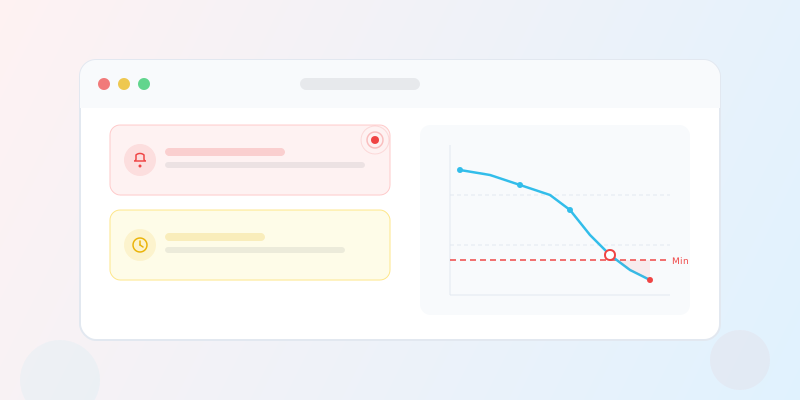
What it contains: a list of products currently below their minimum stock threshold, with current quantities and threshold values.
Who needs it: warehouse managers, purchasing teams, and operations staff responsible for replenishment.
Best frequency: daily. Low stock situations can develop overnight, and the sooner your team knows, the sooner they can act.
This report is especially valuable for teams that manage multiple branches. A central purchasing team can receive daily low stock reports across all branches and coordinate orders accordingly, rather than each branch managing its own alerts independently.
Movement Summary
What it contains: stock movements grouped by type (purchases, sales, transfers, adjustments, returns) over the reporting period.
Who needs it: operations managers (for activity trends), auditors (for compliance), and finance teams (for reconciliation).
Best frequency: weekly is the sweet spot for most businesses. It is frequent enough to catch anomalies (unusual adjustment volumes, for example) but not so frequent that it becomes noise.
Setting Up Reports That Actually Get Read
The difference between a report that gets read and one that gets ignored is relevance. Here are principles that keep scheduled reports useful:
Match the audience to the content
A stock summary for the CFO should cover all branches. A low stock alert for a branch manager should be scoped to their branch only. Sending everyone the same report guarantees that most people will stop reading.
Match the frequency to the decision cycle
If your team places orders weekly, a weekly low stock report timed for the day before your ordering day is ideal. A daily report to someone who only orders monthly is clutter.
Keep the recipient list tight
Every report should go to people who will act on it. Adding people "for visibility" sounds reasonable but gradually trains everyone to ignore the emails. A report with 3 targeted recipients is more effective than one with 15.
Review and prune regularly
Set a quarterly reminder to review your scheduled reports. Are they still going to the right people? Is the frequency still appropriate? Are there reports that nobody is acting on? Delete or adjust as needed.
The Operational Rhythm
The most effective use of scheduled reports is as part of a deliberate operational rhythm:
Daily (8:00 AM):
- Low stock alert report → purchasing team
- Scoped to each branch for branch managers
Weekly (Monday morning):
- Stock summary → operations director, finance
- Movement summary → operations director
Monthly (1st of month):
- Stock summary → executive team
- Movement summary → auditors, compliance
This layered approach ensures that tactical decisions (what to order today) are driven by daily data, while strategic decisions (are we managing inventory well?) are informed by weekly and monthly trends.
Beyond the Report: Acting on the Data
A scheduled report is a trigger, not an end in itself. The most disciplined teams pair each report with a defined action:
- Low stock alert arrives → purchasing team reviews the list in their morning standup and creates purchase orders for critical items.
- Weekly stock summary arrives → operations director reviews total stock value trends and flags any category with unexpected growth for investigation.
- Monthly movement summary arrives → finance team compares actual movement volumes to forecasts and adjusts next month's budget.
Without defined actions, reports become informational wallpaper -- technically available, practically useless.
When Not to Use Scheduled Reports
Scheduled reports are not the right tool for every situation:
- Real-time emergencies: if a critical product drops to zero, you need an immediate notification, not a report tomorrow morning. Use real-time stock alerts for these.
- Ad-hoc analysis: if a specific question arises ("what happened to Product X last Tuesday?"), use interactive dashboards and reports, not scheduled emails.
- Large-scale analytics: for deep analysis (ABC/XYZ classification, trend forecasting), use the reporting module directly. Scheduled reports are summaries, not analytical tools.
Conclusion
Scheduled reports are a small investment in configuration that pays off every day by keeping the right people informed at the right time. They turn inventory monitoring from a task someone has to remember into one that happens automatically. Set them up once, adjust as your business evolves, and let the data come to you instead of chasing it.