Multi-Location Inventory Management: How to Stay in Control Across Branches
Discover the challenges of managing inventory across multiple locations and learn best practices for centralization, inter-branch transfers, and real-time visibility. See how ISA helps SMBs manage multi-location stock effortlessly.
Multi-Location Inventory Management: How to Stay in Control Across Branches
Opening a second location is a milestone for any growing business. It means more customers, broader market reach, and new revenue opportunities. It also means that the inventory practices that worked perfectly for a single warehouse are about to be tested in ways you did not anticipate. Suddenly you need to answer questions like: how much stock does each branch have right now? Should you reorder centrally or let each location manage its own purchasing? How do you transfer products between sites without losing track of them?
Multi-location inventory management is one of the most common pain points for growing SMBs. This article covers the core challenges, the practices that work, and how to build a system that scales with your business.
The Core Challenges of Multi-Location Inventory
Lack of Real-Time Visibility
When inventory data lives in separate systems, spreadsheets, or even separate tabs of the same spreadsheet, you lose the ability to see your stock position across all locations at once. A customer calls asking about availability, and you have to phone three branches before you can give an answer. A product is sitting unsold at one location while another location is turning customers away because it is out of stock. Without real-time, unified visibility, these situations become the norm rather than the exception.
Transfer Complexity
Moving products between locations sounds simple until you actually try to track it. A transfer out of one branch must appear as a transfer in at the receiving branch. The quantities must match. The timing must be recorded. If your tracking system does not handle this as a single coordinated transaction, you end up with phantom stock at one location and unexplained surpluses at another. Reconciliation becomes a recurring headache.
Inconsistent Processes Across Locations
Each location tends to develop its own habits over time. One branch names products slightly differently. Another uses a different categorization scheme. A third skips the receiving step and updates stock directly. These inconsistencies make it impossible to aggregate data meaningfully or compare performance across locations.
Reorder Point Confusion
When you manage a single location, setting a reorder point is straightforward: if stock drops below a threshold, you reorder. With multiple locations, the question becomes more nuanced. Do you set reorder points per location? Do you aggregate demand across all locations and reorder centrally? The answer depends on your supply chain, but without a clear strategy, you will either overstock some locations or consistently understock others.
Reporting and Decision-Making
A manager who oversees multiple branches needs consolidated reports. Which location has the highest turnover? Where is dead stock accumulating? Which branch is most profitable after accounting for transfer costs? Generating these insights from fragmented data sources is time-consuming and unreliable.
Best Practices for Multi-Location Management
Centralize Your Inventory Data
The single most important step is to manage all locations from a unified system. This does not mean that every location must follow identical workflows, but it does mean that all stock data flows into one central repository. A centralized system gives you a single source of truth: one product catalog, one set of stock levels per location, and one place to generate reports.
Centralization also eliminates the version control problems inherent in spreadsheet-based tracking. When two people can edit two different copies of a stock file, discrepancies are inevitable. A centralized platform ensures that everyone works with the same data.
Standardize Naming, Categories, and SKUs
Before you can compare or aggregate data across locations, your product data must be consistent. Establish a universal SKU format, a shared category hierarchy, and naming conventions that every branch follows. If Branch A calls it "BLK-TSHIRT-M" and Branch B calls it "T-Shirt Black Med," your system will treat them as different products even though they are the same item.
This standardization effort is best done once, before you add more locations. Retrofitting consistent naming across a messy multi-location dataset is far more painful than getting it right from the start.
Before opening a new location, audit your existing product catalog for duplicate entries, inconsistent naming, and missing SKUs. Fix these issues while you only have one dataset to clean up rather than two.
Define Clear Transfer Procedures
Inter-location transfers should follow a documented process. At a minimum, a transfer should:
- Be initiated by the sending branch with a specified product, quantity, and destination.
- Deduct stock from the sender at the time of dispatch, creating a transfer-out movement.
- Add stock to the receiver upon physical receipt, creating a corresponding transfer-in movement.
- Be recorded as a linked pair so that audits can match outgoing and incoming records.
Avoid informal transfers where someone loads products into a van without recording the movement. These create discrepancies that are nearly impossible to untangle after the fact.
Set Location-Specific Reorder Thresholds
While your product catalog should be centralized, demand patterns are inherently local. A product that sells briskly in one city may move slowly in another. Set minimum stock thresholds per product per location based on that location's actual sales velocity and lead time. A blanket threshold across all branches will overstock low-demand locations and understock high-demand ones.
Review these thresholds periodically. Seasonal shifts, local promotions, and changes in customer demographics all affect location-specific demand.
Revisit your per-branch reorder thresholds at least once per quarter. Pull the last 90 days of sales data for each location and adjust minimums based on actual velocity rather than historical assumptions that may no longer hold.
Empower Branch Managers with the Right Data
Branch managers should have access to real-time stock levels, movement history, and alerts for their location. They should also be able to see aggregate data when it helps them make decisions, for example, knowing that another branch has excess stock of a product they need. The goal is to give each manager enough visibility to act autonomously while maintaining central oversight.
Audit Each Location Independently
Regular inventory counts should be performed at each location on its own schedule. A discrepancy at one branch should not cast doubt on the accuracy of another. Cycle counting, where a rotating subset of products is counted on a regular basis, is particularly effective for multi-location businesses because it does not require shutting down operations at every site simultaneously.
Managing Inter-Location Transfers Effectively
Transfers are the operational heartbeat of multi-location inventory. Done well, they optimize stock distribution and reduce the need for emergency reorders. Done poorly, they create confusion and waste.
When to Transfer
Initiate a transfer when one location has excess stock of a product that another location needs. The decision should be driven by data: compare current stock levels against recent sales velocity at each location. If Branch A has 60 days of supply and Branch B has 3 days, a transfer is more cost-effective than a new purchase order, provided the logistics cost is reasonable.
Transfer Documentation
Every transfer should generate a record at both the sending and receiving end. This record should include the date, the products and quantities, the reason for the transfer, and the personnel involved. This documentation is essential for accounting, auditing, and resolving disputes.
Handling Discrepancies
Occasionally, the quantity received will not match the quantity sent. Damage during transit, miscounts at the sending branch, or picking errors can all cause discrepancies. Establish a clear process for reporting and investigating these variances rather than silently adjusting the numbers.
Require the receiving branch to confirm the transfer quantity within 24 hours of arrival. If there is a discrepancy, log it as an adjustment movement with a note referencing the original transfer. This keeps your audit trail intact and makes patterns of transit loss visible over time.
How ISA Handles Multi-Location Inventory
ISA was designed from the ground up to support multi-location operations, a feature often missing or poorly implemented in tools that were originally built for single-site businesses.
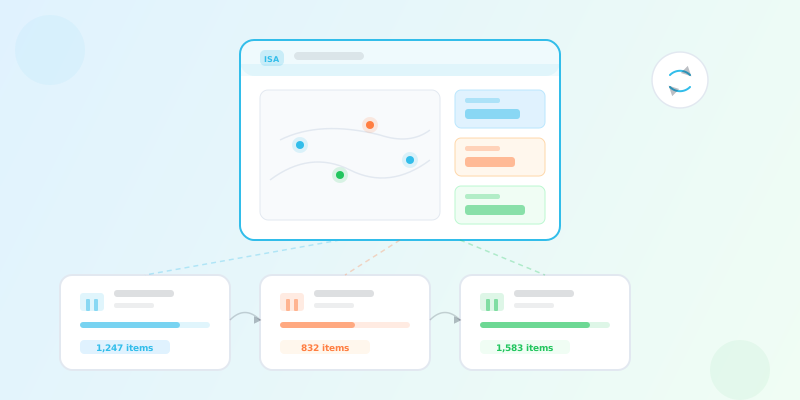
In ISA, each location is represented as a branch. Every branch has its own stock levels, its own movement history, and its own alert thresholds. But all branches share a single product catalog, a single category hierarchy, and a single set of SKUs. This architecture gives you the centralization that makes data consistent while preserving the per-location granularity that makes the data useful.
Stock levels in ISA are tracked per product per branch. When you look at a product, you see its total stock across all locations as well as the breakdown by branch. This makes it immediately clear where your inventory is concentrated and where shortages are developing.
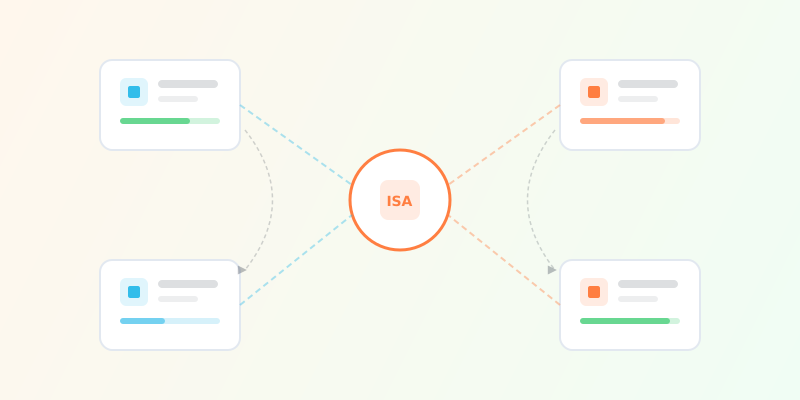
Inter-branch transfers in ISA are recorded as paired movements: a transfer-out at the sending branch and a transfer-in at the receiving branch. Both movements reference the same transaction, so the audit trail is complete and unambiguous. The system enforces that transfers reduce stock at the origin and increase it at the destination, preventing the phantom stock issues that plague manual tracking.
Alerts in ISA are branch-aware. You can set a minimum stock threshold for a product at each individual branch, and the system will notify you when stock at any specific location drops below its threshold. This means you are alerted to the specific branch that needs attention rather than receiving a generic low-stock warning.
Branch managers can be assigned to their location and given visibility into the data that is relevant to their operations. At the same time, administrators and owners retain a consolidated view across all branches, with dashboards and reports that aggregate performance metrics.
For SMBs expanding from one location to two, five, or twenty, the transition does not require changing tools. ISA scales with your business, and the practices you establish at two branches will serve you well at ten. The key is to start with the right foundation: centralized data, standardized processes, and a system that treats multi-location as a first-class capability rather than an afterthought.